
Auto‑Top‑Up for Your Brokerage Account
Configure the Investing Habit

Regular Investing Made Easier
With a new feature in the Freedom Broker platform
Automatic transfers
Set the parameters once – after that, the account is topped up automatically

On your schedule
Choose a convenient frequency: weekly or once a month

An amount that suits you
Set the amount and currency of the regular top‑up yourself
Under your control
You can disable and re-enable the feature at any time

How to Enable
In the Freedom Investments app
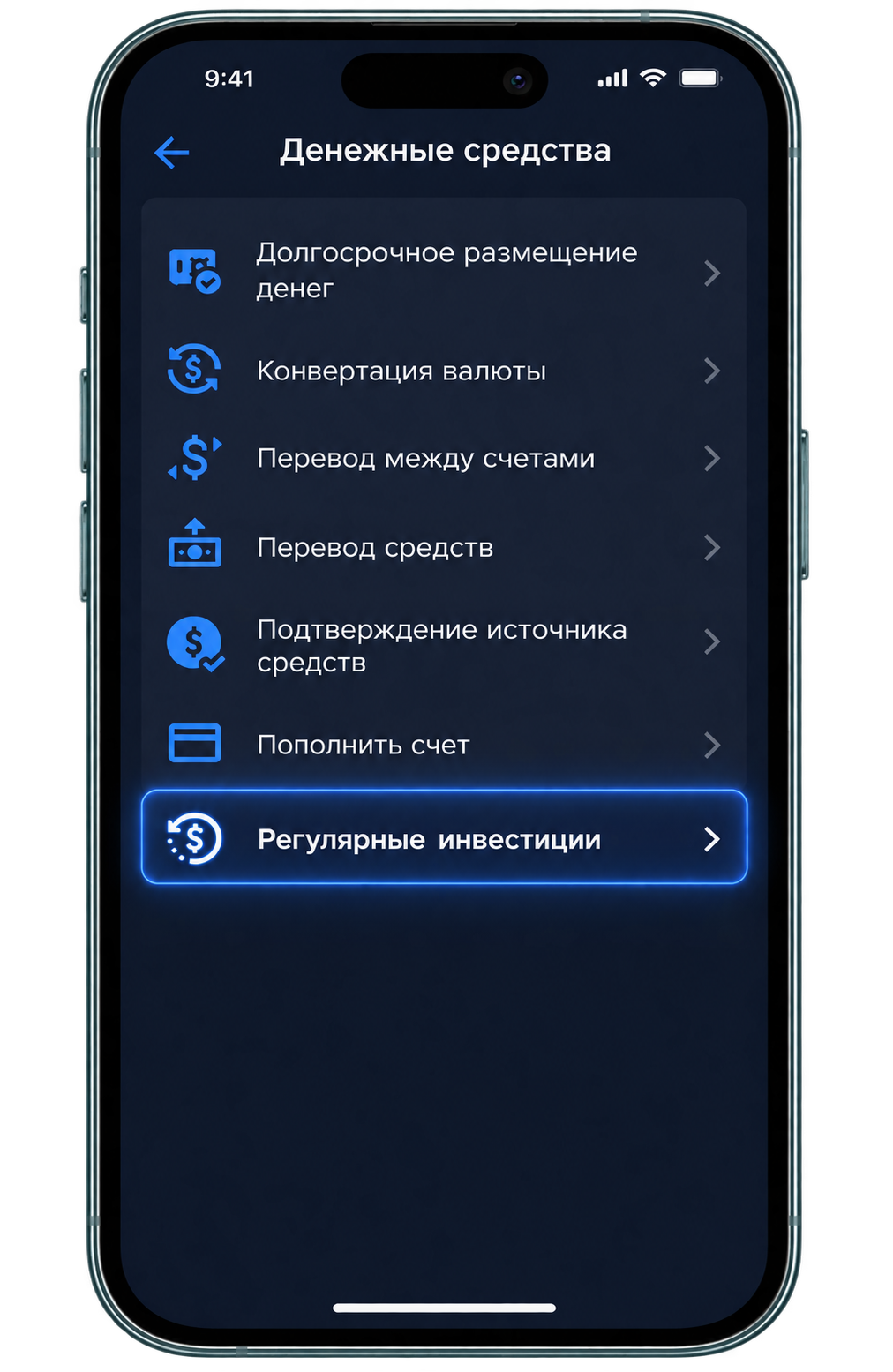
Open Menu → Orders → Funds → Regular Investments
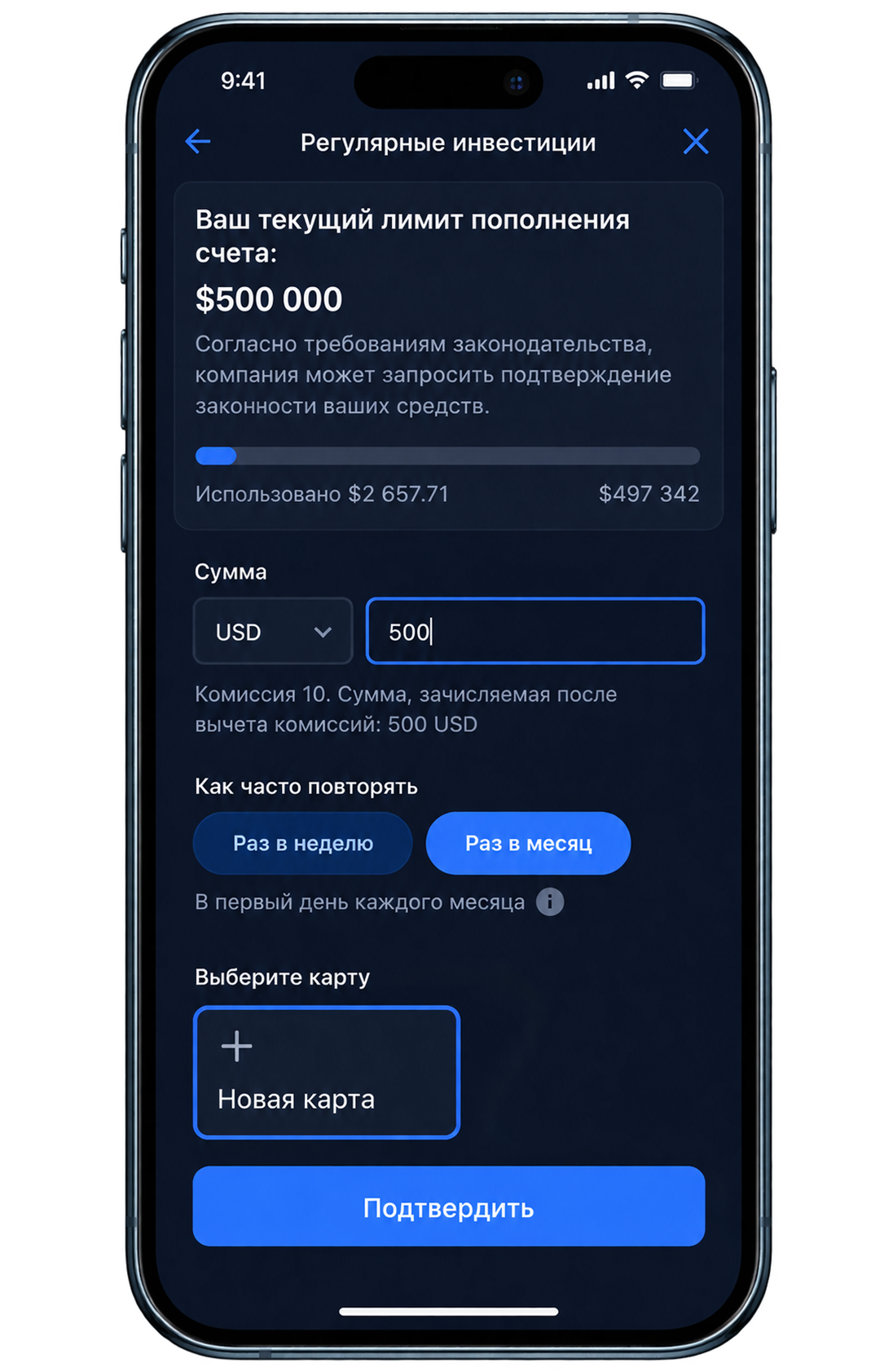
Specify the currency, amount and frequency of top‑ups
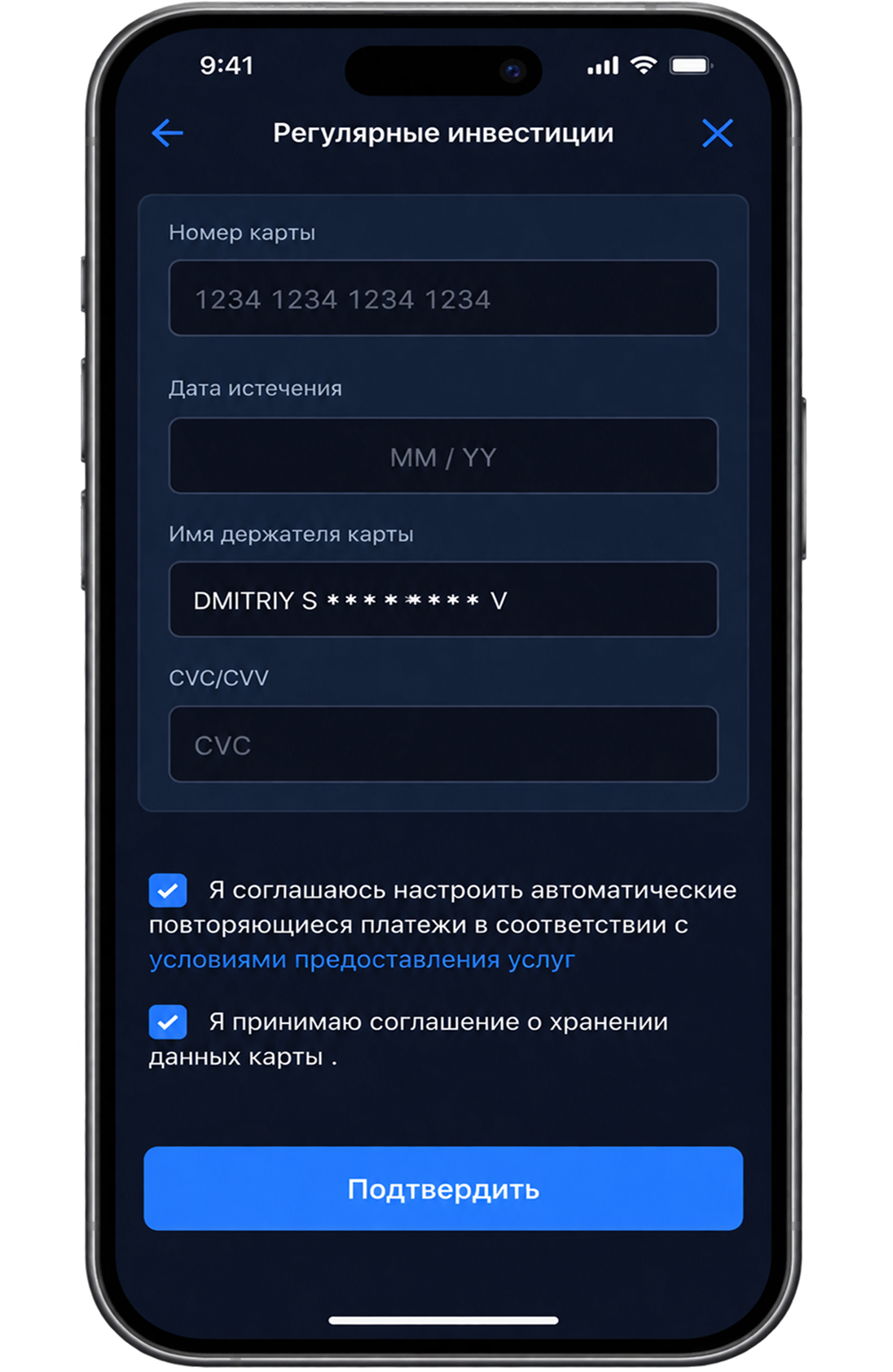
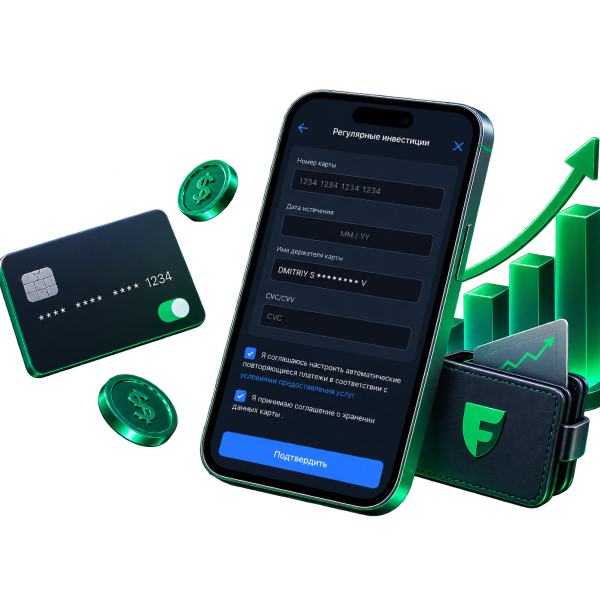
Select or add a card and confirm the enabling
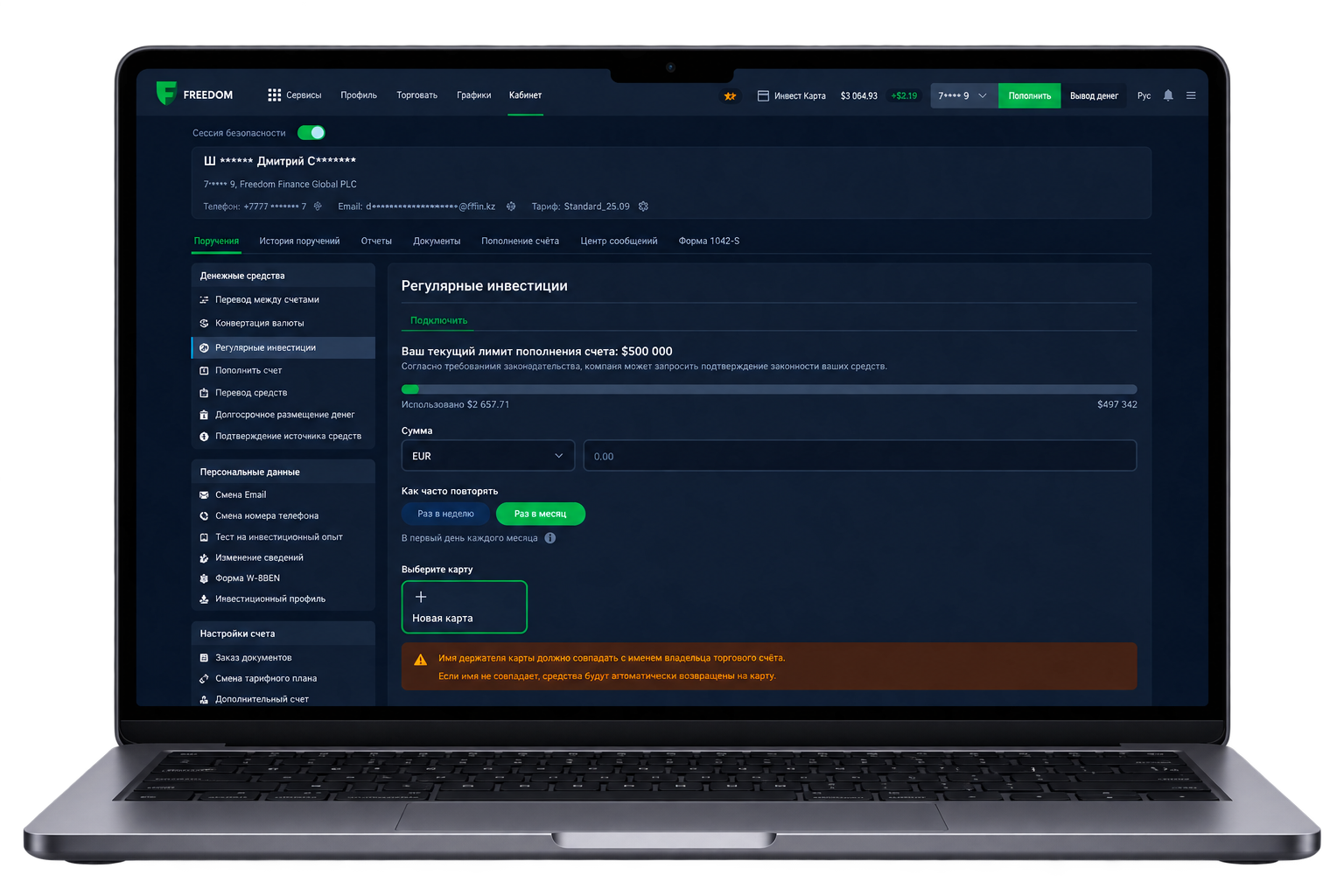
In the web platform
Open My Account → Funds → Regular Investments. Configure and submit the order
Important Conditions
Minimum amount
500 KZT, 1 USD or 1 EUR
Maximum amount
9,999 USD or the equivalent in another available currency
Funding by account holder only
Transfers from third parties are not accepted.
Standard fee
0% for cards issued by Freedom Bank; 2% for transfers from other banks
FAQs
How does automatic brokerage account top‑up work?
You set the top‑up amount and frequency from your bank card once. After that, funds are automatically transferred to the selected brokerage account according to the pre-defined schedule.
How often can I top up the account automatically?
There are two options: weekly or monthly.
For weekly top‑ups, the funds are debited every Monday; for monthly top‑ups — on the 1st day of each month.
When will the first top‑up occur?
The first top‑up happens immediately after you activate the service. Subsequent top‑ups follow your chosen schedule.
Can additional top‑up limits apply?
Yes. Top‑ups are also subject to limits and restrictions imposed by the card issuing bank and the acquiring bank.
Can a top‑up be declined?
Yes, the charge-off may be declined by the card issuing bank, the payment system or the acquiring bank. The transaction may also be suspended or declined based on sanctions and AML checks in accordance with legal requirements and the company’s internal procedures.
What happens if the charge-off fails?
The system will retry once per day until the transaction is successful or until you disable the service.
May the company request for additional documents?
Yes. If limits are reached, the company may request for documents and information confirming the source of funds.
Are securities purchased automatically after the top‑up?
No. The service automatically tops up the brokerage account but does not execute trades. You decide which assets to buy and when to invest the funds.
Can I disable automatic top‑ups?
Yes. You can disable the service yourself in the app.
What is a security session and how do I open one?
A security session protects your account from unauthorized operations — it helps verify your identity and access to the account. With an active session, you can execute trades and submit orders in the Freedom Investments platform.
You can open a security session in several ways:
Using a code from a push notification in the Freedom Investments app;
- Using an SMS code;
- Via Face ID or Touch ID in the app;
- In the web platform on PC — by scanning a QR code with the app.
Less Routine - More Investing
Set up auto‑top‑up in 5 minutes and stop getting distracted by individual transfers
Get a consultation
Investor Data