In the Freedom Broker platform, you can update your data by submitting an appropriate order to change the information if your passport or other personal data is updated.
You can update your data by submitting a "Change details" in the mobile app or website of the Freedom Broker platform.
How to submit the request to change personal information?
Important! You may submit an order to update personal data only from a trading account the number of which begins with 7*****. Instruction on how to switch between the accounts.
1. To update data, log into the Freedom Broker platform using your preferred method:
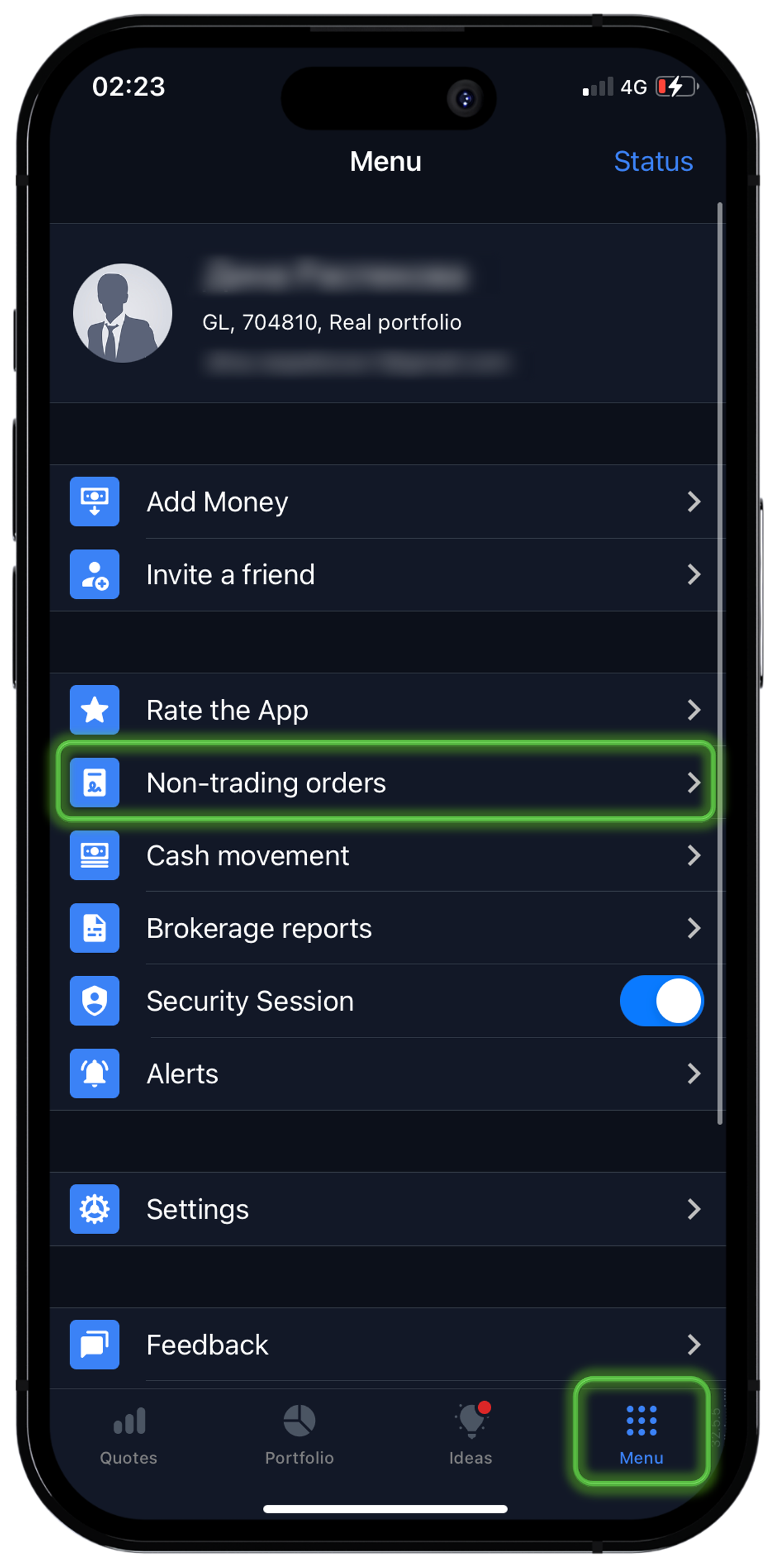
• in the mobile app → "Menu" → "Requests" → "Personal details" → "Change details".
• on the website in the "Member Area" → "Requests" → "Change details";
2. Open a security session.
3. Fill in the appropriate fields with the data that has been changed.
Important! Passport information must be filled out exactly as indicated on your identity document.
If you are changing your registered address or residential address, you must additionally provide a document confirming your address.
The following documents may be used as proof of address (they can be obtained through eGov, the Unified Accumulative Pension Fund, or a banking application):
• Certificate of residence registration;
• Pension contribution statement issued by the Unified Accumulative Pension Fund;
• Certificate from a psychoneurological dispensary;
• Certificate from a narcological dispensary;
• Certificate from a tuberculosis dispensary.
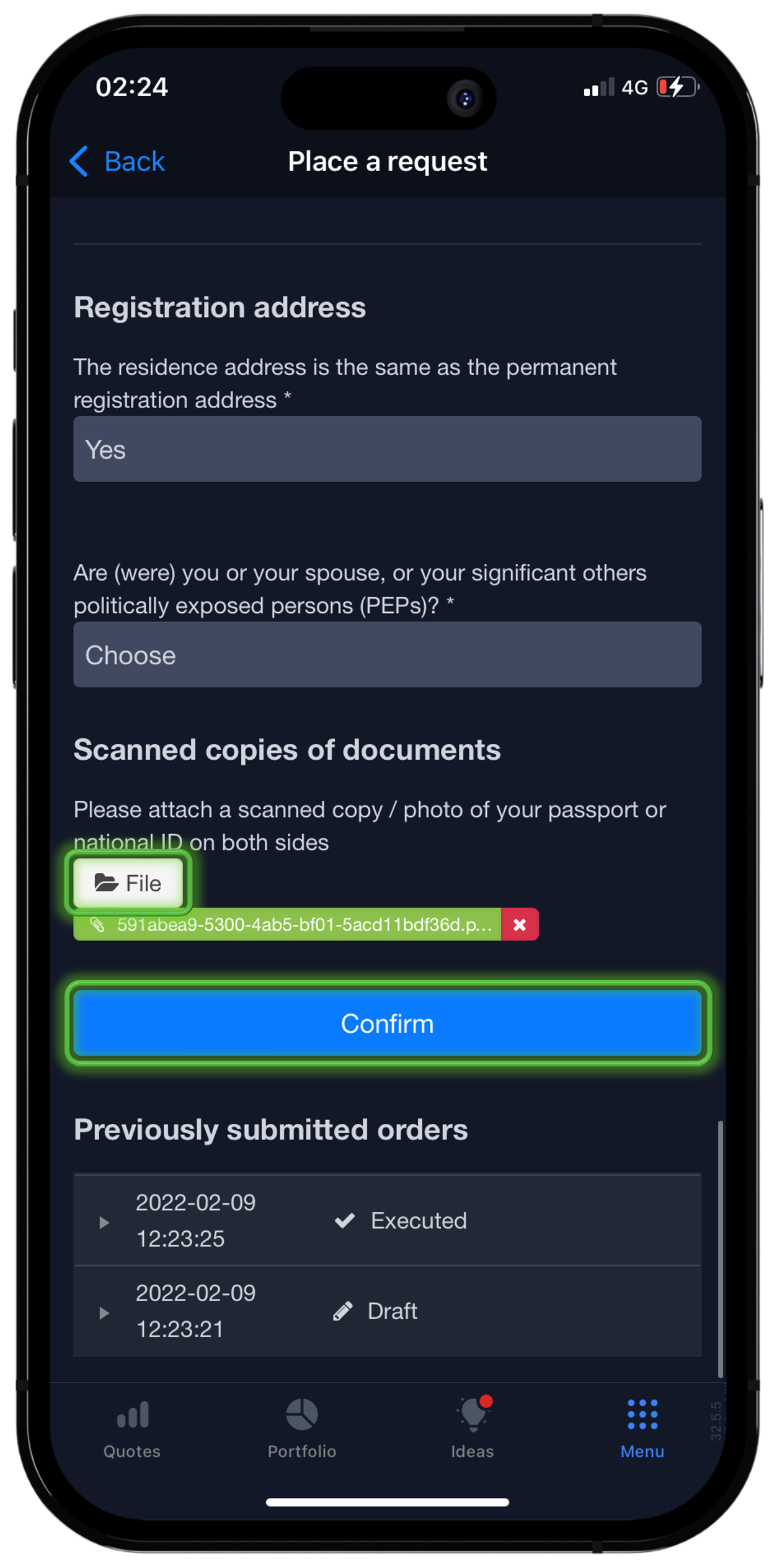
4. Upload a scan or photo of the current document to “File” and check the entered data is correct.
Important! Screenshots of documents are not accepted. You must upload an official document in PDF format or a clear photo/scanned copy containing all document details and requisites.
5. Then, click on "Confirm" sending the order for verification.
Done! After verification, the order will be executed.
Note: If you were unable to submit such order yourself, you can contact the manager or support ("Menu" → "Support" → "Contact support" in Freedom Broker) and send the request to change the data attaching related documents.
Please note: If you change your personal information (сitizenship, tax residence, taxpayer identification number, registration country) on Freedom Broker, your current W-8BEN Form will be automatically canceled. You will need to submit a new form.