There are two ways to change the phone number linked to your brokerage account.
Method 1. By yourselves in the Freedom Broker platform (if you have access to the previous contact number)
1. Login to the Freedom Broker platform using your preferred method:
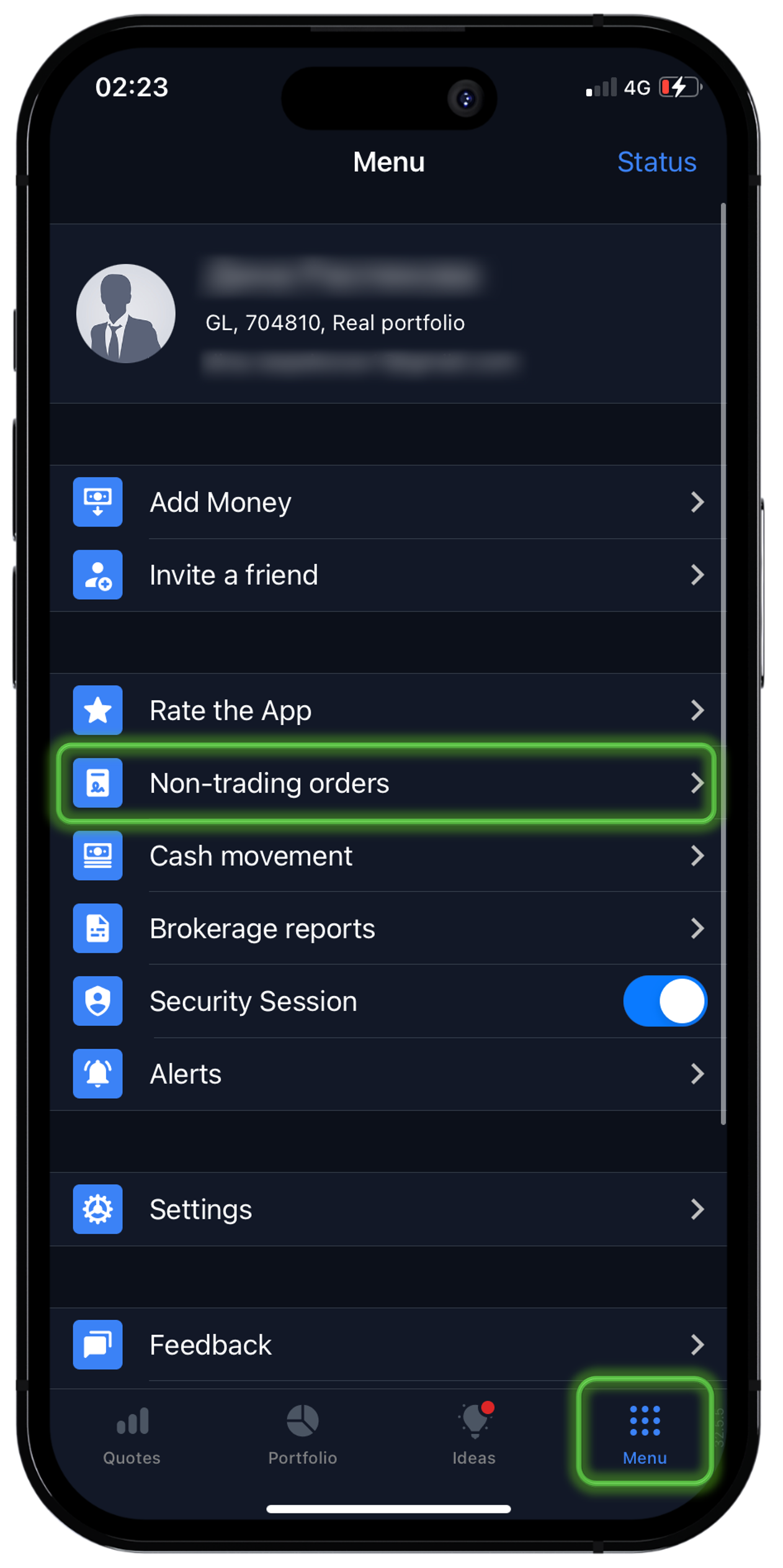
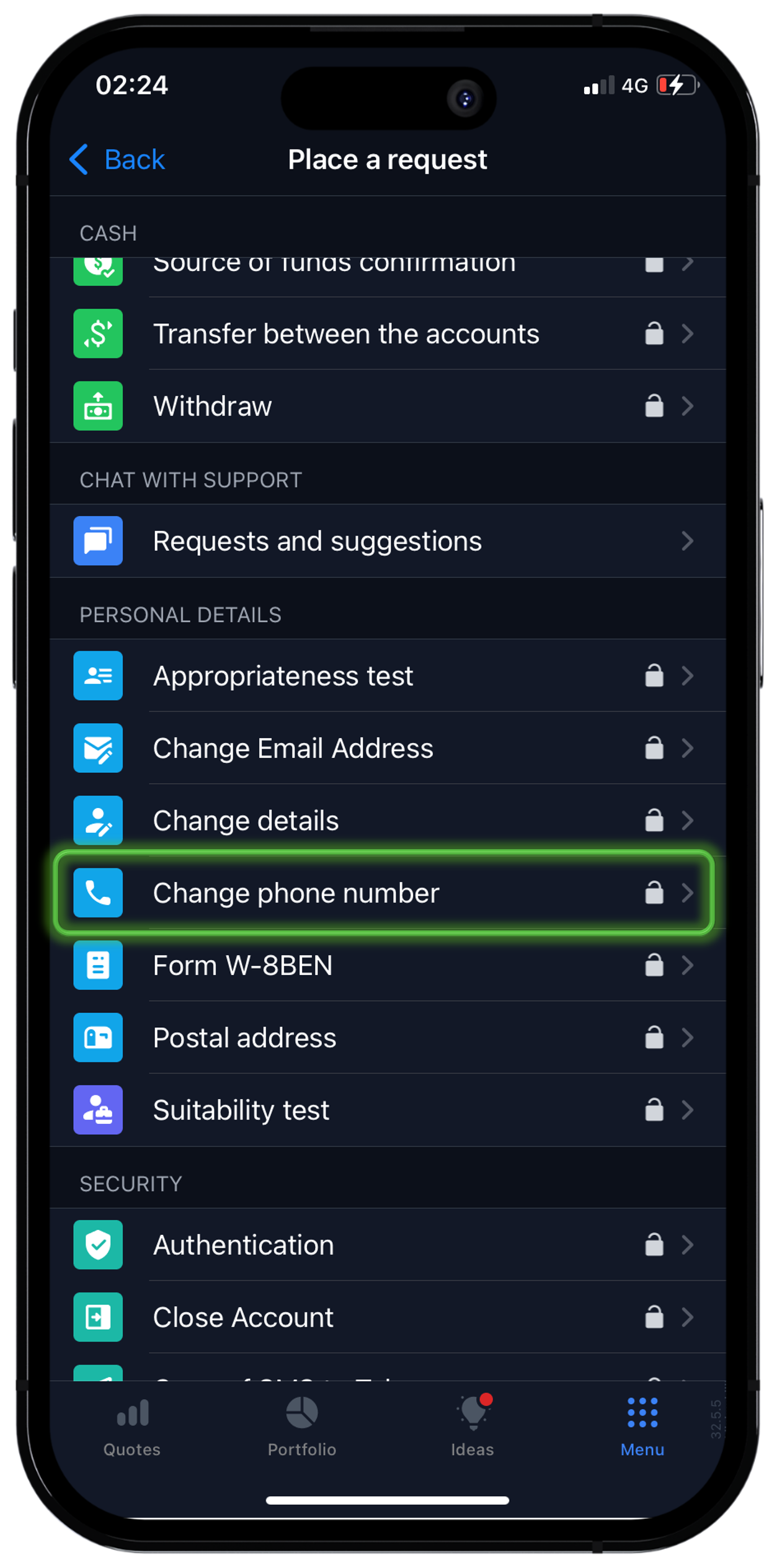
• Freedom Broker platform mobile app → "Menu" → "Requests" → "Personal details" → "Change phone Number" order.
• Freedom Broker platform website → "Member Area" → "Requests" → "Personal details" → "Change phone Number" order.
3. Enter your new contact phone number and click "Confirm".
4. Enter the received 6-digit code and click "Confirm".
Done! Your contact number will be updated instantly.
Method 2. Contact support using the following contacts:
Important! For security purposes, you need to use a voice password for identification.
Guidance how to set a “Voice Password”
1. Phone
7555 — toll-free calls from mobile phones in Kazakhstan.
+7 7172 67 77 55 — toll-free calls from Kazakhstan landlines phones, international and mobile calls are charged.
2. E-mail
[email protected] — the request must be sent from your authorized e-mail
3. Send a request to change the number to Freedom Broker → "Support" and indicate your new contact phone number.
Important! To change contact details, you should go through an identification procedure for security purposes.